
Everything IntelixPulse does
From the first ping to the licence renewal: monitoring, hardware health, AI diagnosis, remote fixes and inventory for servers, desktops, laptops and VMs.
Every server, site and port — watched every minute
Checks from the outside tell you a service is down. The agent on the inside tells you why: the disk that filled, the process that ran away, the network that went quiet.
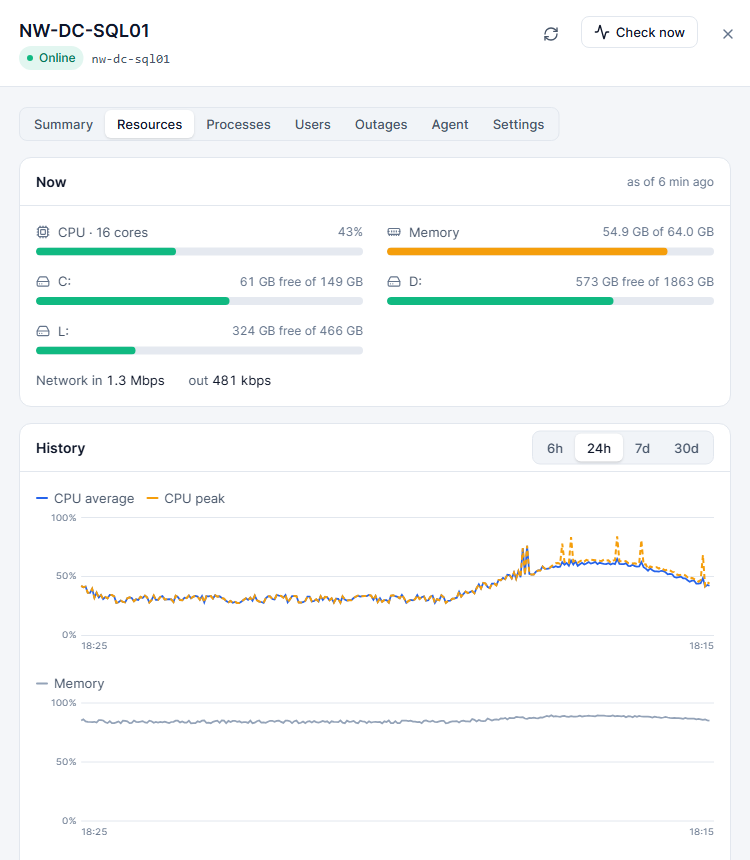
Uptime, ping, port and HTTP checks
Watch servers, websites, APIs and any TCP port. Response times are charted and every outage is logged with its start, end and duration.
Live agent metrics
CPU, memory, every disk and network adapter, refreshed continuously — with the top processes when something spikes.
Infrastructure checks
Group checks by dependency so one router going down raises one alert, not forty.
Up-hours report
Minutes each machine was actually running, per month — ready to back an invoice for hosted servers and VMs.
Network tools
Ping, DNS lookups, HTTP and port checks and TLS certificate expiry, from the console.
Outage history
Every outage with its cause and how long it lasted, so the monthly review writes itself.
The whole fleet, not just the server room
Desktops and laptops get the same agent and the same health checks as servers — with rules that suit machines people carry home.
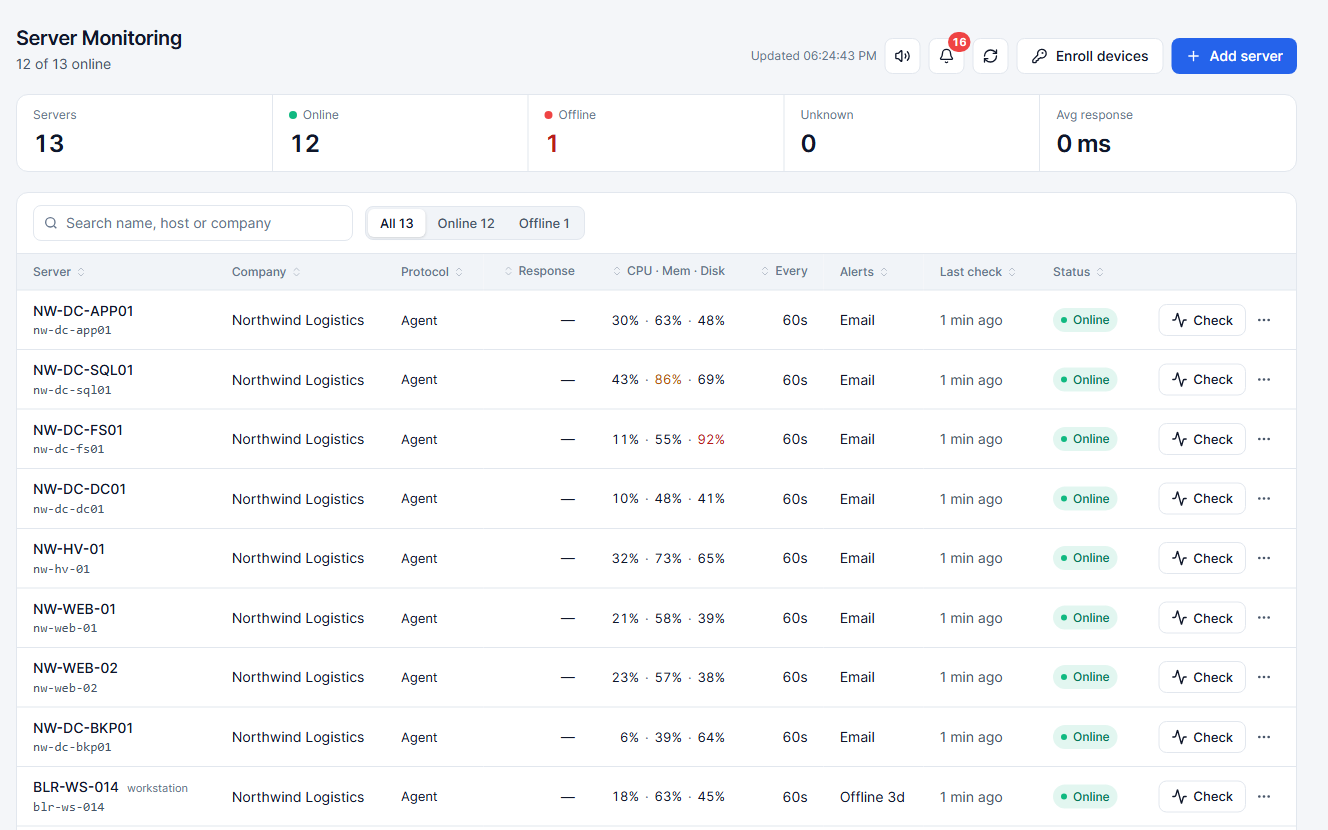
Device types
Mark each machine as a server, workstation or laptop; lists, alerts and reports follow the type.
No noise from laptops
A laptop closing its lid at 6 pm is not an outage. Laptops never raise down alerts.
"Offline for N days" notices
When a device has not checked in for the days you set, IT admins and the person it is assigned to are told.
Assigned users
Link a device to the person who uses it, so notices and inventory point at someone real.
Instance Manager for your Hyper-V hosts
See every host and VM in one place, start and stop instances from the console, and bill hosted VMs on the minutes they really ran.
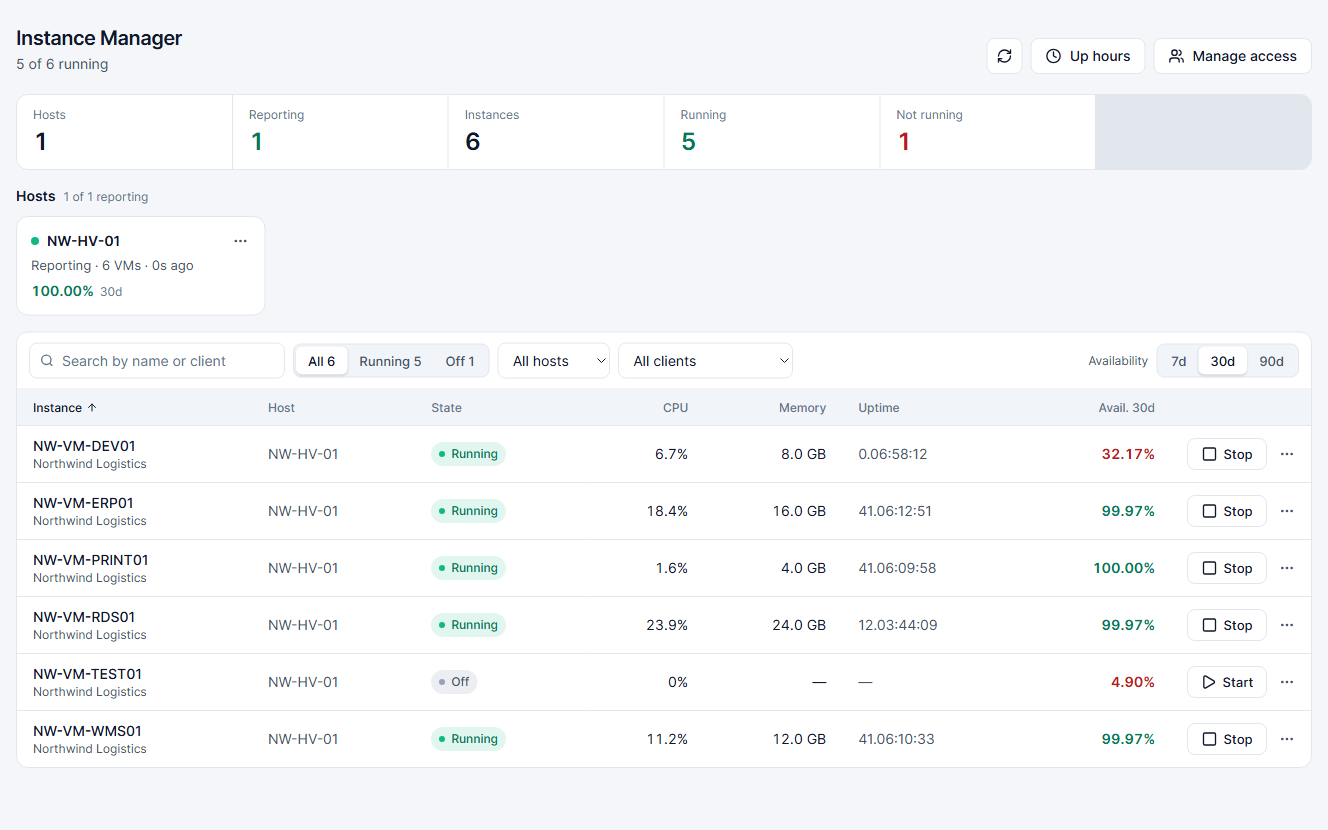
Hosts and VMs at a glance
State, uptime and resource use for every VM on every Hyper-V host.
Start, stop and schedule
Power VMs on and off from the console or on a schedule, with every command logged.
Per-person access
Instance Manager is switched on for the people who need it, separately from the rest of the console.
Running minutes for invoicing
The up-hours report counts the minutes each VM was Running, month by month.
Catch the failing disk before it takes the data with it
The agent reads the signals Windows already keeps — SMART, sensors, battery reports and the event log — and turns them into a health score you can act on.
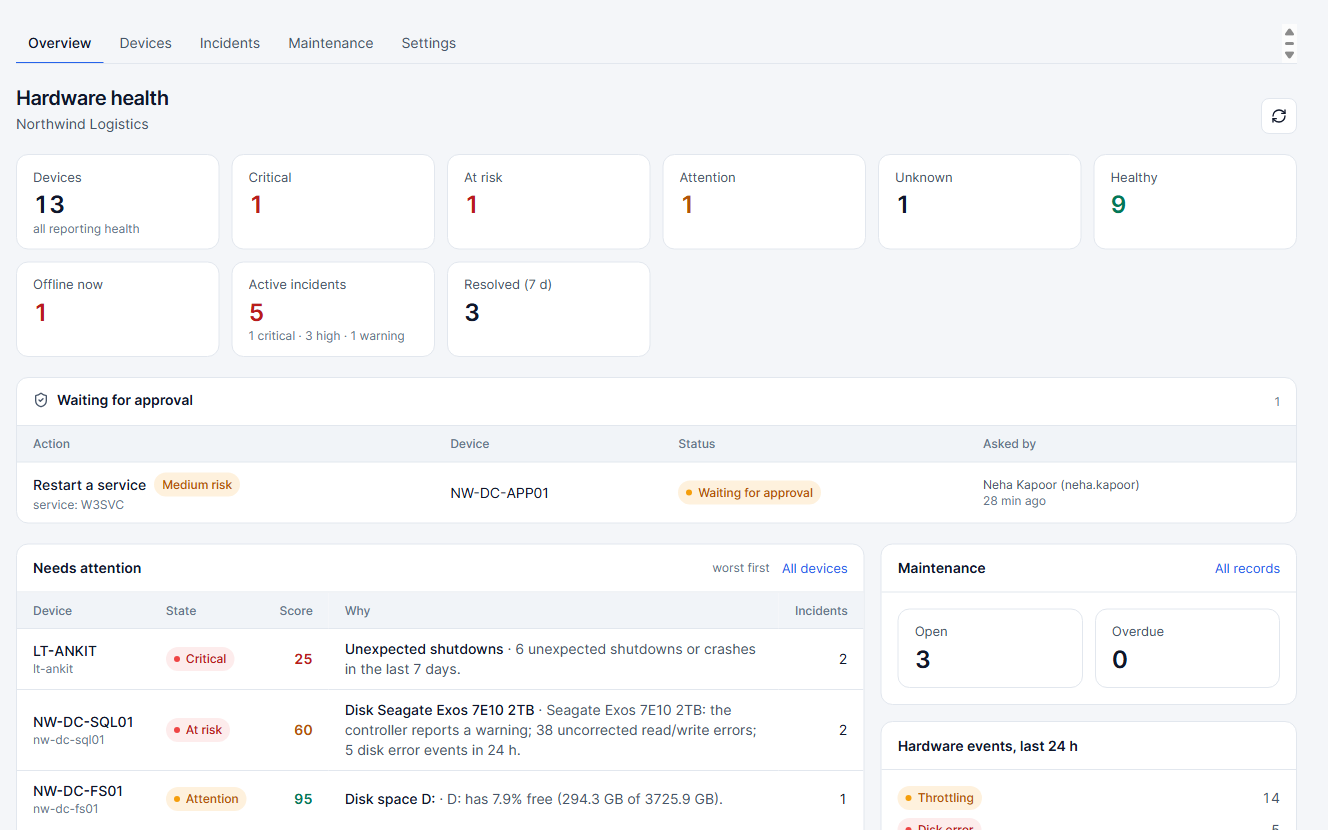
Disk SMART and health
Reallocated sectors, wear level and media errors on every drive, tracked day by day.
Thermals
Temperatures that stay high, not just one hot afternoon.
Battery wear
Design capacity against what the battery holds today, so you replace it before it strands someone.
Event logs that matter
Unexpected shutdowns, file-system corruption and disk errors pulled out of the noise.
A health score with its evidence
Every score shows what lowered it, so nobody has to take a number on trust.
Incidents with severity
Problems become incidents — low to critical — with a timeline of what happened and who did what.
An engineer's read of every incident, in seconds
IntelixPulse hands the incident's evidence to Claude, Anthropic's AI model. It explains the likely cause in plain English, says how confident it is, and lists the next steps — and it can run the checks itself.
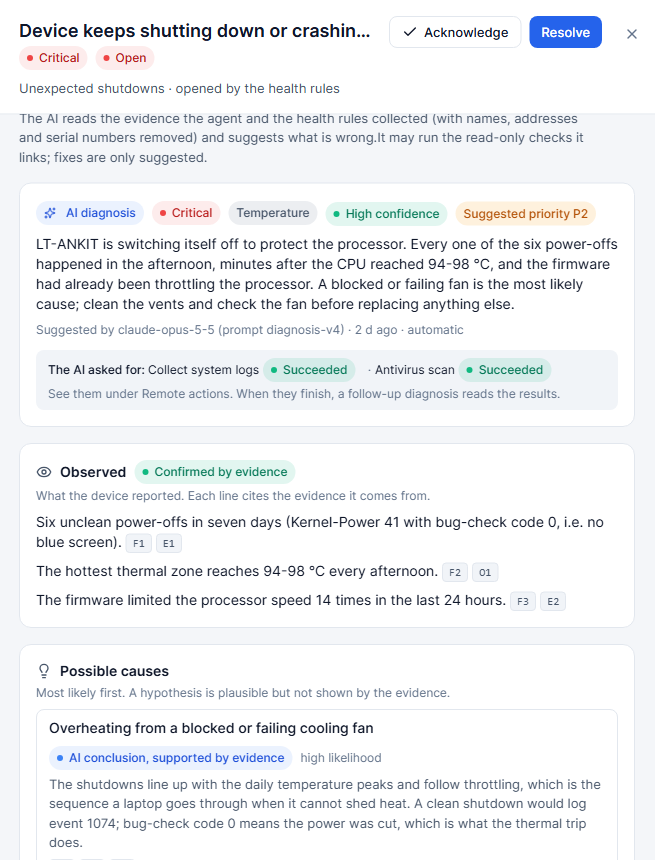
Explains from the evidence
Built only from what the agent collected — events, SMART data, metrics — and it cites what it used.
Says how sure it is
Every diagnosis carries a confidence level, so a guess never reads like a fact.
Next steps you can follow
Concrete actions in order, from the quick check to the part to replace.
Runs checks and low-risk fixes
When you allow it, the AI can run read-only checks and low-risk fixes itself — always under your approval rules.
You set the mode
Explain only, run checks, or run checks and low-risk fixes — per company and per department.
Feedback that sticks
Mark a diagnosis helpful or wrong; your team's judgement is recorded with it.
Fix the routine things without remoting in
Run the jobs IT does by hand every week — from one console, on one device or fifty, with approvals and a full record of what ran.
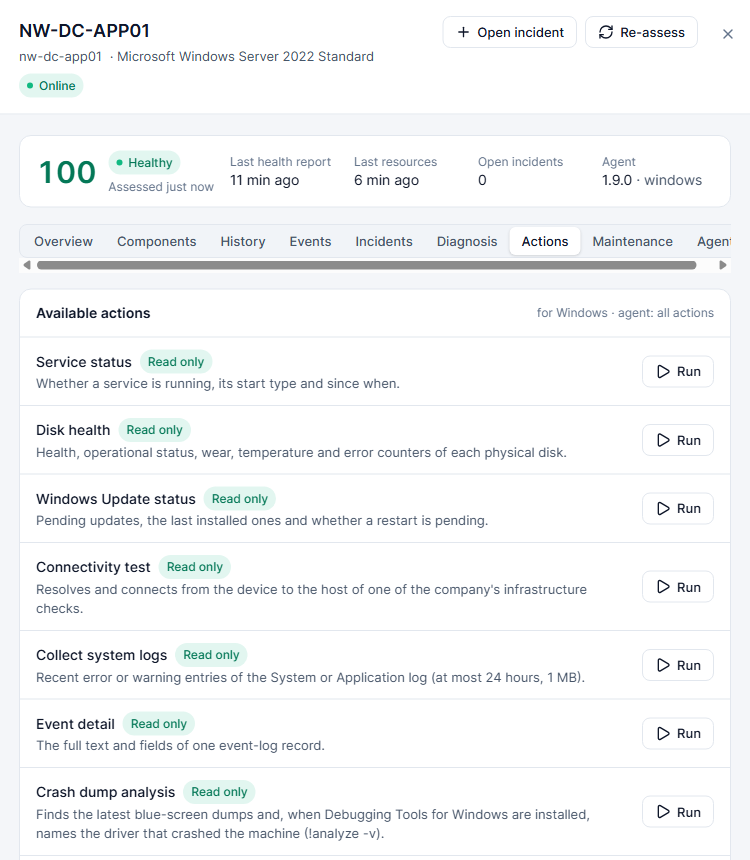
Defender status and scans
See protection status everywhere; run quick or full scans and get threat alerts.
Temp cleanup
Clear temp files and caches when a disk runs low.
System file repair
Run SFC and DISM repairs remotely and read the result in the console.
Crash-dump analysis
Find and summarise the dumps behind blue screens.
Windows Update and services
Check update status; see and restart services.
One- or two-person approval
Choose who must approve which actions, with a per-device safety setting on top.
Queued execution
A busy or sleeping device gets the job when it is ready, not an error.
Scheduled actions
A weekly antivirus scan across the fleet, with a summary and threat alerts after every run.
One fix, many devices
Run the same check or fix on a selection of devices and follow each result.
Different teams, different rules
Finance laptops and the build servers should not share one set of settings. Policies set the defaults per department.
Alert routing
Who hears about which department's devices, on which channel.
Offline limit
How many days of silence before a notice goes out.
Scan schedule
When the department's antivirus scans run.
AI mode
How much the AI may do on that department's machines.
Know what you own, what's installed and what it costs
The agent reports hardware and software as it finds it. Add what it cannot see — monitors, phones, licences — and IntelixPulse keeps the books.
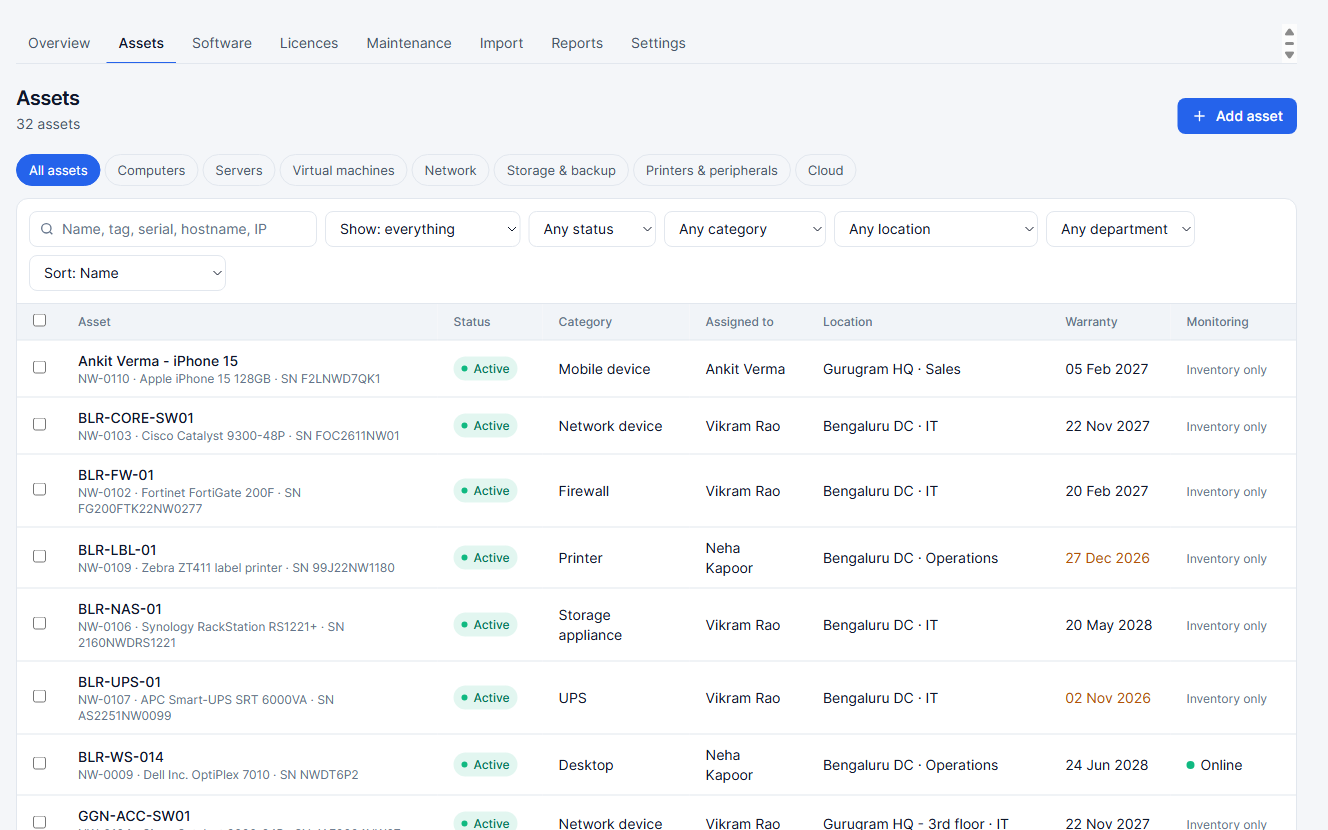
Assets
Every machine and peripheral with category, location, department, owner and warranty.
Installed software
Found automatically on every device with an agent, grouped by product and version.
Licences and positions
What you bought against what is installed — over or under at a glance.
Renewal reminders
Licences and warranties that expire soon, before they do.
Spend reports
IT spend by category, department and vendor.
Maintenance records
Repairs and services against each asset, with cost and notes.
From sign-up to a monitored fleet in an afternoon
The agent is a small, quiet service. Enrol a hundred machines the way your IT team already deploys software.
Company enrollment keys
One key per company or site; machines join the right account on first start.
MSI and setup.exe for Windows
Silent install that fits Group Policy, Intune or any deployment tool.
One-line install for Linux
Paste one command; the agent installs as a service and checks in.
Agent auto-update
Agents update themselves, so new checks reach every machine without a rollout.
The right person hears about it — and nobody else
Alerts go where your team already is. Maintenance windows keep planned work quiet, and status pages keep customers informed without a phone call.
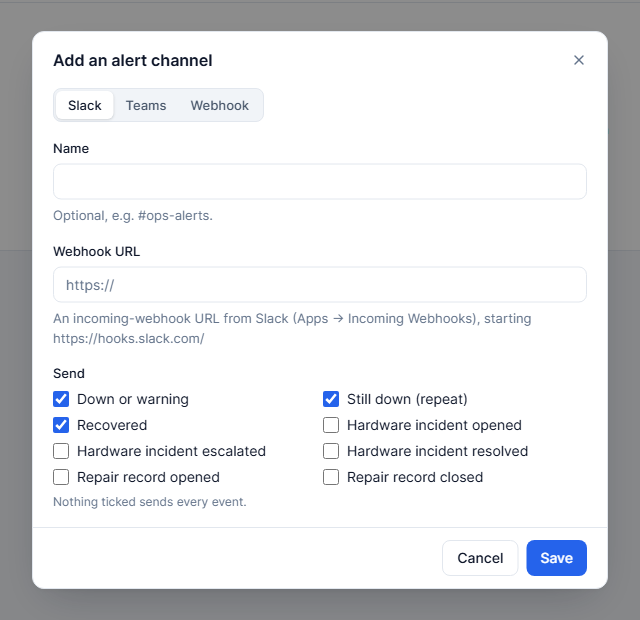
WhatsApp alerts
Down, recovered and critical incidents straight to the on-call phone.
Full detail in the inbox, from [email protected].
Slack and Microsoft Teams
Post alerts to the channel your team already watches.
In-app and on Android
A notification inbox in the console and on the Android app.
Maintenance windows
Planned work doesn't page anyone, and the record shows it was planned.
Public status pages
A clean page your customers can check, showing the services you choose.
Built for a team, run as a service
IntelixPulse is multi-tenant SaaS: every company's data is its own, every sign-in is checked, and every change is logged.
Two-step sign-in
A second step for every account, with trusted devices.
Verified phone numbers
Numbers are verified over WhatsApp before alerts and resets go to them.
Google and Apple sign-in
Sign in with the account your team already has.
Activity log
Who changed what, when — sign-ins, settings, approvals and remote actions.
Roles
Admins, members and read-only users, with per-person access to Instance Manager.
Support access you control
Our support team sees your account only when you grant access.
Which plan has what: compare plans.
See your whole estate on one screen — today.
Create your company, install the agent on a few machines and watch the dashboard fill in. The Free plan has no end date.